Cybersecurity researchers have disclosed details of a critical flaw in the Elementor Pro WordPress plugin that, if successfully exploited, could lead to remote code execution.
The vulnerability, tracked as CVE-2026-32475, carries a CVSS score of 9.0 out of 10.0. It has been described as a case of unrestricted upload of a file with a dangerous type.
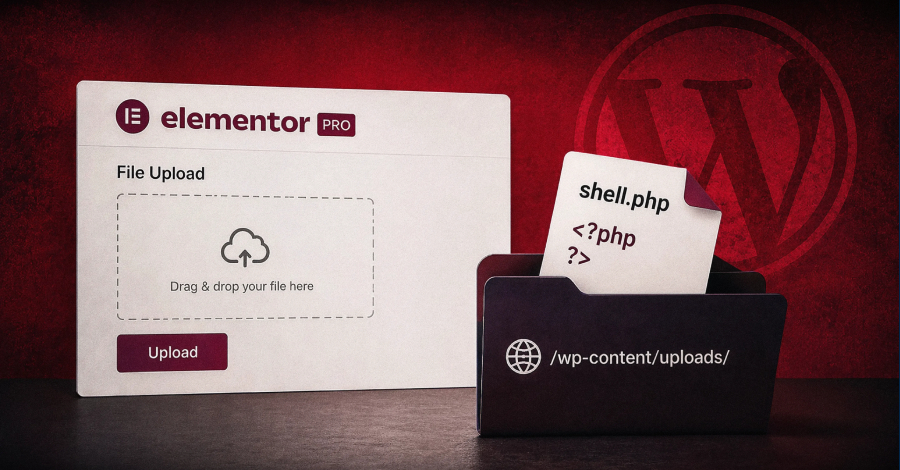
“The flaw lives in the Forms module’s File Upload field, where the extension check and the file-move step run in two separate loops with different handling of empty file entries,” Patchstack said.
“By submitting two file parts for the same field, an unauthenticated attacker skips the extension blocklist entirely and writes a PHP file into a public directory.”
This discrepancy in how it validates the file’s extension and moves the uploaded file to a public directory when empty file entries are processed turns a restricted file-upload field into an unauthenticated remote code execution primitive.
Successful exploitation of the flaw could allow an attacker to upload arbitrary files, including PHP scripts, that could then be used to achieve remote code execution on affected systems. The security defect impacts all versions of the plugin prior to and including version 4.2.1.
The WordPress security company said the only precondition required to pull off an attack is that the target site has at least one published Elementor page containing a Form widget with a File Upload field. The uploaded file is written as “wp-content/uploads/elementor/forms/<uniqid>.php,” where “<uniqid>” is the output of PHP’s uniqid() function.
“This is an extremely common, everyday configuration: job-application forms, ‘attach a photo/ID/receipt’ forms, and support-ticket attachments all use it,” it noted. “The field’s ‘Required’ toggle being off is its default state, so no hardened or unusual setting is needed.”
Security researcher Tin Pham (aka TF1T) has been credited with discovering and reporting the flaw under the Patchstack Bug Bounty Program. After the issue was reported to Elementor Pro on July 16, 2026, a patch (version 4.2.2) was released on August 19.
The release comes a little over a week after WordPress released 7.0.4 to address a high-severity security issue (CVE-2026-65640, CVSS score: 8.8) that enables remote code execution via malicious Postscript file upload by an Author-level user or higher. It affects WordPress core versions 4.7 all the way up to 7.0.
However, for the attack to be successful, two conditions have to be satisfied –
Imagick and Ghostscript in use on the server, given the issue is in Ghostscript’s handling of certain embedded files
A malicious user with the upload_files capability
The update “changes how WordPress hands your uploaded media to ImageMagick, and it closes a path that could let a logged-in author turn an ordinary-looking image upload into code execution on your server,” Patchstack said.
“If you run a multi-author publication, a membership site, a client site with contributors, or anything with open or loosely managed registration, that bar is a lot lower than it sounds. On those sites, an Author uploading a booby-trapped ‘image’ is a genuinely realistic threat, not a theoretical one. If it’s just you and a tightly held set of trusted editors, your exposure is smaller.”
The findings also coincide with the discovery of a large-scale operation dubbed StopAndProtect that’s turning thousands of compromised WordPress websites into a distributed infrastructure for malware delivery, command-and-control communications, and the storage of stolen data.
WordPress users are advised to keep their websites and plugins up-to-date, scan for unauthorized modifications that serve unexpected redirects or pop-ups, and audit them for unknown accounts and plugins.
📰 Original Source:TheHackerNews ✍️ Author: info@thehackernews.com (The Hacker News)
To provide the best experiences, we use technologies like cookies to store and/or access device information. Consenting to these technologies will allow us to process data such as browsing behavior or unique IDs on this site. Not consenting or withdrawing consent, may adversely affect certain features and functions.
Functional
Always active
The technical storage or access is strictly necessary for the legitimate purpose of enabling the use of a specific service explicitly requested by the subscriber or user, or for the sole purpose of carrying out the transmission of a communication over an electronic communications network.
Preferences
The technical storage or access is necessary for the legitimate purpose of storing preferences that are not requested by the subscriber or user.
Statistics
The technical storage or access that is used exclusively for statistical purposes.The technical storage or access that is used exclusively for anonymous statistical purposes. Without a subpoena, voluntary compliance on the part of your Internet Service Provider, or additional records from a third party, information stored or retrieved for this purpose alone cannot usually be used to identify you.
Marketing
The technical storage or access is required to create user profiles to send advertising, or to track the user on a website or across several websites for similar marketing purposes.


Leave a Reply