An analysis of a popular Google Chrome ad block extension for YouTube has uncovered the ability to execute arbitrary JavaScript code.
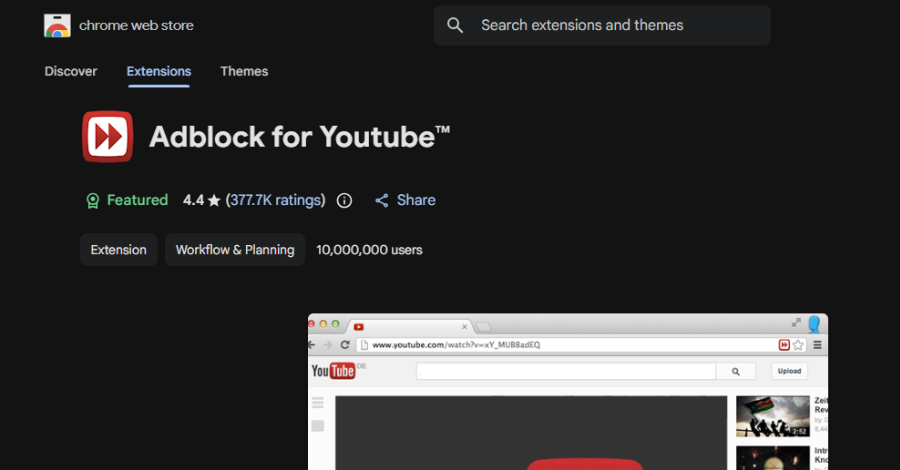
According to Island, the extension, named Adblock for YouTube (ID: cmedhionkhpnakcndndgjdbohmhepckk), has more than 10 million installs and carries a Featured badge on the Chrome Web Store.
The extension description states that it allows users to prevent web page elements like ads, including preroll ads, from being displayed on the video sharing platform, as well as on external sites that load YouTube. While the add-on offers the promised functionality, it also features capabilities to run arbitrary JavaScript code.
“It also contains the architectural ingredients for arbitrary JavaScript execution on any website, activated by a single server-side configuration change, without an extension update, without a store review, and without any visible sign that something has changed,” researchers Oleg Zaytsev and Shachar Gritzman said in a report shared with The Hacker News.
“In practical terms, that could mean reading pages, stealing data, and acting as the user inside personal accounts, work apps, admin panels, and other sensitive browser sessions.”
It’s worth emphasizing here that there is no evidence malicious payload has been distributed to users in this manner, but the mere presence of the capability, coupled with ties to other ad-blocking extensions that have since been removed from the storefront for malware, raises privacy and security risks, Island added.
The list of related extensions that have been taken down is listed below –
Adblock for Chrome (ID: onomjaelhagjjojbkcafidnepbfkpnee)
Adblock for You (ID: ogcaehilgakehloljjmajoempaflmdci)
AdBlock Suite (ID: gekoepiplklhniacchbbgbhilidiojmb)
Adblock for YouTube has been on the Chrome Web Store since 2014, starting off as a basic YouTube ad blocker before it changed ownership four years later. Early iterations of the extension were found to ship with an ad-injection software development kit (SDK) named Unistream SDK, although it was removed in June 2024.
What’s been constant is the presence of remote-controlled script injection paths since February 2025, opening the door to the creation of arbitrary “<script> elements using a bespoke scriptlet rule (“trusted-create-element”) defined by the extension author that can, in turn, access sensitive data.
“At the time of our analysis, trusted-create-element was not active in the server response,” the researchers explained. “The capability is dormant, not absent. Activating it requires a single server-side change, no extension update, no store review.”
Compounding the risk further is the fact that ad blocker extensions typically request extensive permissions to inspect requests, alter pages, hide elements, and adjust their behavior as ad systems evolve.
Specifically, it’s been found that contrary to its name, the extension runs on every website a user visits on the browser, while adding a check that activates only when the current URL contains “youtube.com.” However, in reality, the check only verifies if the string corresponding to “youtube.com” appears anywhere in the URL, and does not validate the hostname, frame origin, or embedded player context.
This means that the check can be trivially bypassed by putting youtube.com anywhere in the URL, as depicted in the following URL patterns –
www.facebook.com/page?ref=youtube.com
bank.example.com/search?q=youtube.com
internal.corp.com/redirect?from=youtube.com
“The concern is not a single suspicious line of code,” Island said. “It is the combination: a high-install extension with all-site access, a remote-controlled injection path, prior ad-injection infrastructure, a major ownership and codebase change, and related extensions that were removed from the Chrome Web Store for malware.”
The Hacker News has contacted the developer of the extension for comment, and we will update the story if we hear back.
The disclosure comes as Palo Alto Networks Unit 42 said it detected 18 browser extensions impersonating consumer brands with an aim to monetize through affiliate marketing.
“Upon installation, all extensions open the .shop domain in a new tab,” Unit 42 said. “The .shop domain redirects to another domain. The domain presents a page citing that further action is required. The page cites incompatibility issues and asks users to install a gaming-oriented browser.”
📰 Original Source:TheHackerNews ✍️ Author: info@thehackernews.com (The Hacker News)
To provide the best experiences, we use technologies like cookies to store and/or access device information. Consenting to these technologies will allow us to process data such as browsing behavior or unique IDs on this site. Not consenting or withdrawing consent, may adversely affect certain features and functions.
Functional
Always active
The technical storage or access is strictly necessary for the legitimate purpose of enabling the use of a specific service explicitly requested by the subscriber or user, or for the sole purpose of carrying out the transmission of a communication over an electronic communications network.
Preferences
The technical storage or access is necessary for the legitimate purpose of storing preferences that are not requested by the subscriber or user.
Statistics
The technical storage or access that is used exclusively for statistical purposes.The technical storage or access that is used exclusively for anonymous statistical purposes. Without a subpoena, voluntary compliance on the part of your Internet Service Provider, or additional records from a third party, information stored or retrieved for this purpose alone cannot usually be used to identify you.
Marketing
The technical storage or access is required to create user profiles to send advertising, or to track the user on a website or across several websites for similar marketing purposes.



Leave a Reply